How to Set Up a Google Wallet Loyalty Card for Your Café
If you’ve run a loyalty scheme with paper stamp cards, you already know the problem. A customer collects six stamps, tucks the card in their wallet, and never sees it again. Someone else asks for a new one — their third — and you quietly wonder whether any of this is actually working. The good news is there’s a better way, and it takes about five minutes to set up.

By the end of this article, you’ll have a working Google Wallet loyalty card for your café — one that lives on your customers’ phones, requires no app download on their end, and costs you nothing to launch. The tool we’ll use is BaristaCard, built specifically for independent cafés. No coding, no developer, no faff. Here’s exactly how to do it.
What Is a Google Wallet Loyalty Card — and Why Does Your Café Need One?
Google Wallet is a built-in app on Android phones that stores things like boarding passes, event tickets, and — increasingly — loyalty cards. Think of it as a digital wallet that most of your customers already have in their pocket, whether they know it or not. Google Wallet comes preloaded on most Android phones, so your customers don’t need to download anything new. They scan a QR code, tap “Add to Google Wallet,” and your loyalty card is saved to their phone in seconds.
What it replaces is the paper card — and with it, all the friction that comes with paper. Research suggests people check their phones well over 100 times a day, which means your loyalty card is already where your customers are. It’s not at the bottom of a bag or in the pocket of last Tuesday’s jacket. It’s on their lock screen, ready to go.
For iPhone users, the same principle applies through Apple Wallet — BaristaCard covers both platforms, which we’ll come to. You can read more about the iPhone side of things at Apple Wallet loyalty cards.
The business case is straightforward. More stamps get collected, more rewards get redeemed, and more customers come back. You pay nothing to print cards, and you get a real dashboard showing visit frequency, redemption rates, and who your regulars actually are. Paper can’t do any of that.
What You’ll Need Before You Start
The setup is genuinely light. You’ll need a free BaristaCard account — you can sign up at BaristaCard with no credit card required. Beyond that, have your café logo ready as a square PNG file; even a clean photo taken on your phone will do the job. You’ll also want your brand colour — if you know the hex code, great, but BaristaCard gives you a colour palette to pick from if not. That’s it. No Google account, no developer, no technical knowledge required. Set aside five minutes and you’ll be done before your next flat white is finished.
Step-by-Step: Setting Up Your Google Wallet Loyalty Card with BaristaCard
Step 1 — Create Your BaristaCard Account
Head to baristacard.com and sign up for free. You’ll enter your café name, location, and email address, and you’re straight into the dashboard. No credit card, no trial period ticking down — just a clean starting point.
Step 2 — Design Your Digital Loyalty Card
From your dashboard, select “Create card” and choose the Google Wallet template. You’ll upload your logo, pick your brand colour, and write your reward offer — something like “Buy 9 coffees, get 1 free” works well, but you can tailor it to whatever makes sense for your café. A live preview updates as you go, so you can see exactly what your customers will see on their phone before anything goes live. It looks like a proper loyalty card, not a spreadsheet.
For context, Google does offer a Pass Builder tool that lets businesses create wallet passes by filling in a form — but BaristaCard handles all of that in the background for you, so you never have to interact with Google’s developer tools directly.
Step 3 — Set Your Stamp Rules
Next, you choose how many stamps it takes to earn a reward. Six, nine, ten — whatever fits your average customer’s visit frequency. You also set how stamps are issued: either your staff scan the customer’s card QR code from their phone, or the customer enters a short PIN at the till. No extra hardware needed. You can also set an inactivity expiry — for example, stamps expire if the card isn’t used within 90 days — which is a gentle nudge that brings lapsed customers back in rather than letting them drift.
Step 4 — Publish and Get Your Enrolment QR Code
When you’re happy with the card, hit publish. It goes live instantly. BaristaCard immediately generates an enrolment link and a QR code — this is what new customers scan to add the card to their wallet. You can print the QR code and display it on your counter, paste the link into your Instagram bio, or add it to your receipts. For ideas on getting the most out of your enrolment materials, promoting your loyalty card has plenty of practical options.
Step 5 — Hand Out Your First Card
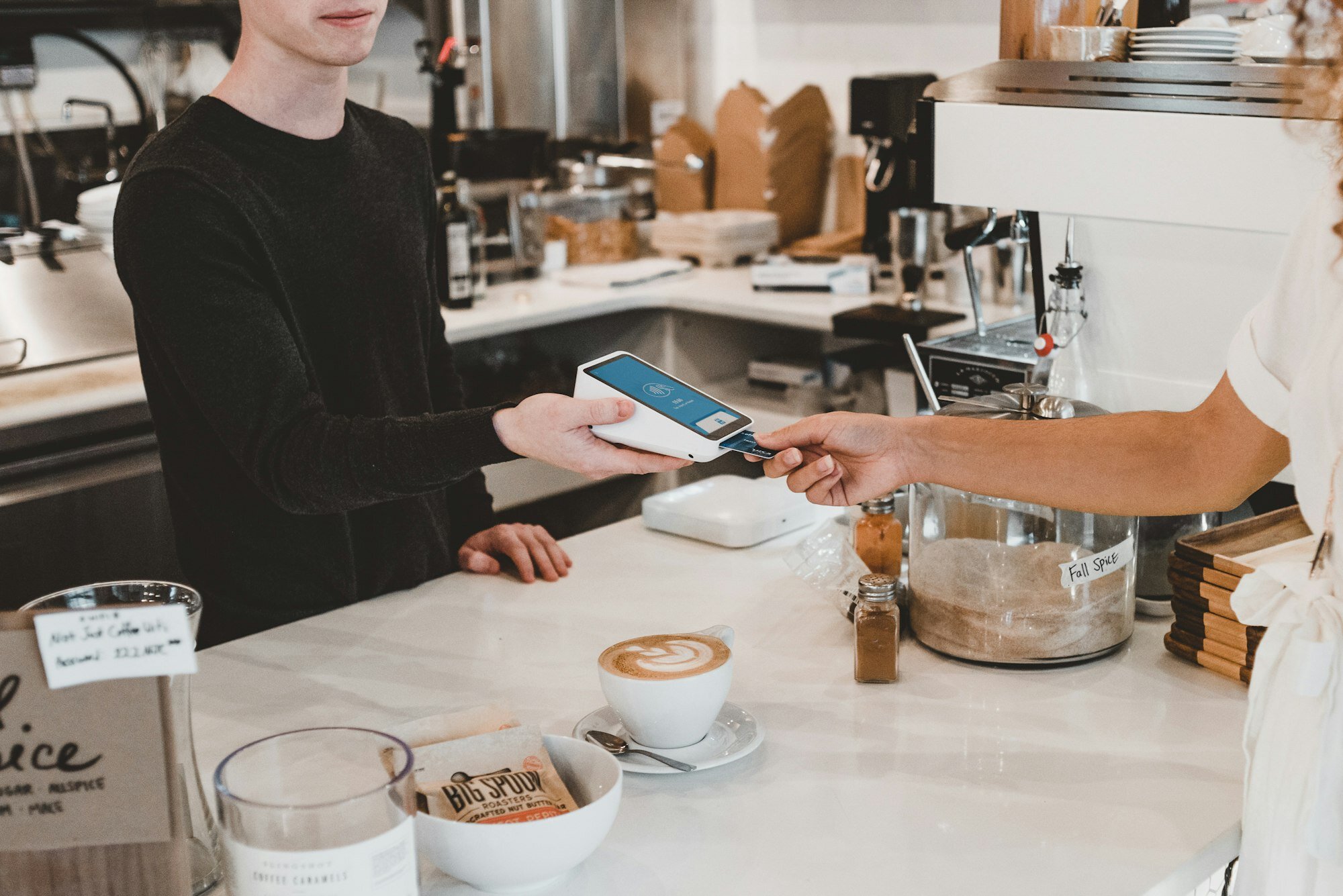
Place a small printed card holder on your counter with the QR code on display. When customers pay, a simple line does the work: “Scan that to get your loyalty card — no app needed.” From your own phone or tablet, you open the BaristaCard dashboard and scan their card to issue the first stamp. Within a few minutes of going live, you’ll start seeing your first enrolments appear in the dashboard.
What the Customer Experience Looks Like
From your customer’s side, the whole thing takes about fifteen seconds. They scan the QR code on your counter, their phone opens a page with an “Add to Google Wallet” button, they tap it, and the card is saved. On their next visit, they open their Wallet app, your barista scans the QR code on screen, and a stamp is added automatically. When they hit the reward threshold, a push notification fires on their phone — academic research published in ScienceDirect found that push notifications have a strong positive effect on loyalty programme redemption, which makes intuitive sense: the card reminds them you exist exactly when it matters. No username, no password, no app to update. The experience is completely frictionless.
Google Wallet vs. Paper Stamp Cards — Is It Really Worth It?
If you’re sceptical, that’s fair. Paper stamp cards have worked for decades, and there’s nothing wrong with keeping it simple. But the numbers are worth looking at honestly. According to RewardForge’s industry research, 39% of customers abandon paper loyalty programmes simply because they lose the card. Nearly half — 47% — of paper punch cards are never redeemed at all. That means for every two cards you hand out, roughly one of them is quietly going in the bin, along with the goodwill you were trying to build.
Digital doesn’t have that problem. The card lives on a phone that your customer checks constantly. There’s nothing to lose, nothing to forget, and nothing to reprint when it gets tatty. Paper also carries ongoing print costs — not huge, but they add up across a year. BaristaCard is free to start, so the cost comparison isn’t even close at the beginning. And then there’s the data: paper tells you nothing about who your regulars are, how often they visit, or what your redemption rate looks like. A digital dashboard gives you all of that, which helps you make smarter decisions about your offer.
Paper isn’t dead, and you might choose to run both for a while. But digital runs alongside it with zero extra effort once it’s set up. You can weigh up the full comparison at the full comparison.
Tips to Get More Customers Enrolled in the First Week
The setup is the easy part — the first week of enrolments sets the momentum. Put your QR code in three places straight away: a card holder on the counter, a sticker on your front door at eye level, and a link in your Instagram bio. Brief your team to mention it once at checkout — just once, naturally, not as a sales pitch. Something like “We’ve got a digital loyalty card now if you want it — that sign there, no app needed” is plenty.
Add your enrolment link to your email footer and to your Google Business profile description while you’re at it; both are free and easy to do. If you want to drive a strong first week, offer a launch incentive: two free stamps for anyone who signs up before the weekend. It creates a small reason to act now rather than later. A thirty-second Instagram Reel showing the scan-to-wallet flow also tends to perform well — it’s visual, it’s quick, and it answers the “how does it work?” question before anyone has to ask. You’ll find ready-made social assets at coffee shop marketing.
Frequently Asked Questions
Do customers need to download Google Wallet? No. Google Wallet comes pre-installed on most Android phones in the UK. Your customer scans, taps once, and the card is saved. There’s nothing to search for or download.
What about iPhone users? BaristaCard creates an Apple Wallet version of your loyalty card at the same time, so iPhone customers are covered too. The setup is identical — one card, both platforms. More detail at Apple Wallet loyalty cards.
How do I stamp a customer’s card? From your BaristaCard dashboard on your phone or tablet. You scan the QR code on the customer’s digital card, or they enter a short PIN — whichever suits your workflow at the till.
Is BaristaCard really free? Yes. The free plan lets you run your loyalty card with no upfront cost. Paid plans unlock detailed analytics and multi-location management if you need them later. Full details at BaristaCard.
Does it work if I have more than one café? Yes. BaristaCard supports multiple locations under one account. Customers can collect stamps across all your sites, which is a genuine selling point if you have regulars who visit different branches.
Ready to Set Yours Up?
You now know it’s simpler than it probably looked when you first heard “Google Wallet loyalty card.” The technology handles itself; you just need five minutes and a logo.
Here’s the thought worth sitting with: every customer who walks out today without a loyalty card is one you’re hoping comes back by chance. A digital card quietly does the work of keeping your café in their mind — without you having to do anything after the initial setup.
Set up your BaristaCard free — it takes less time than brewing a V60. And if your customers are mostly iPhone users, start with the Apple Wallet guide at Apple Wallet loyalty cards.
Photos by Clay Banks and Vitaly Gariev on Unsplash.
カフェの顧客ロイヤルティを高める準備はできていますか?
BaristaCardは、デジタルスタンプカード、特典、リアルタイムの分析機能などを通じて、カフェが一度きりの来店客を常連客に変えるお手伝いをします。無料で始められます。
コメント (0)
ログイン コメントを残すには。