Apple Wallet and Google Wallet Loyalty Cards: A Guide for Cafe Owners

Your customer pays with their phone, and your loyalty card is already right there — sitting in the same app they just opened. No fumbling for a paper card. No "sorry, I left it at home." That's what a wallet-based loyalty program does, and most independent coffee shops haven't set one up yet. If you've ever wondered whether a QR code loyalty card could live directly in Apple Wallet or Google Wallet, the answer is yes — and it's easier to run than a paper punch card.
TL;DR
- Apple Wallet and Google Wallet store loyalty stamp cards, not just payment cards — your cafe can have one in both.12
- Customers add the card once; it lives in their phone wallet with no app to download, ever.
- When a customer scans your QR code at the counter, a stamp is added automatically to the card already on their phone.
- You configure the card once — logo, stamp goal, reward — and BaristaCard handles the rest.
- About 63% of US smartphone users are on iOS, 37% on Android3 — you need both wallets, and BaristaCard serves both.
- Wallet passes can show up on a customer's lock screen near payment time, without a separate notification app.
- BaristaCard is free to start; wallet pass issuance is included.
What "in their wallet" actually means
Most people hear "Apple Wallet" and think: payments. Credit cards, Apple Pay, that sort of thing. But both Apple Wallet and Google Wallet are card holders — they store a lot more than bank cards.
Apple Wallet holds boarding passes, event tickets, student IDs, and loyalty rewards cards.1 Google Wallet does the same, with a dedicated loyalty card object type built into its API.2 A loyalty pass is not a payment method. It can't be charged. It's just a digital card that lives alongside your bank card — and looks just as native.
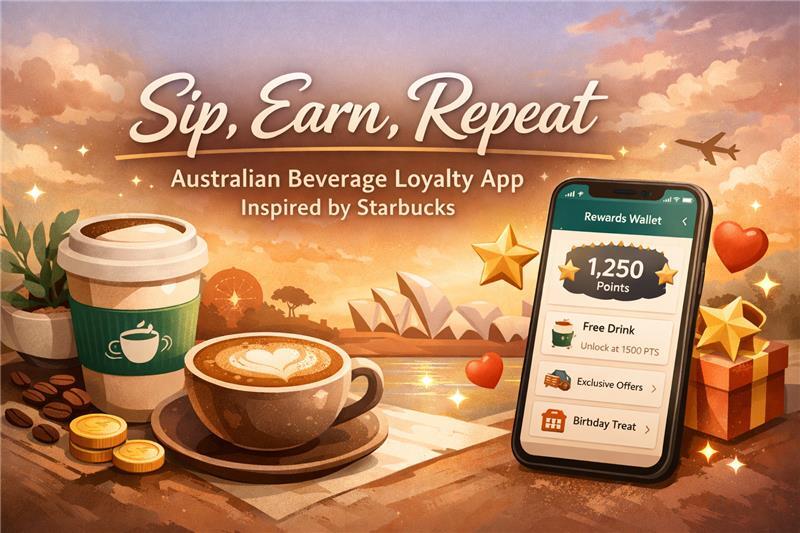
What your customer actually sees: a card with your cafe's logo, a stamp count (say, "7 of 10"), and a note like "10 stamps = free flat white." Think of Wallet as a digital card holder, not a payment terminal. That distinction matters when you're explaining it to a first-time customer at the counter.
Why it beats paper (and standalone apps)
Paper punch cards get lost. Or soggy. Or stamped ten times on the first visit by a creative customer with a pen. Digital stamp cards on wallets solve the obvious problems — but there are two less obvious ones worth knowing.
No download friction. A standalone loyalty app requires the customer to find it in the App Store, install it, create an account, and remember their login. Most won't. A wallet pass requires none of that. The customer scans, taps "Add to Wallet," and it's done in under thirty seconds.
Always visible. A wallet pass can appear on the lock screen at the right time and place — near your cafe, or around the time your customer usually stops in for their morning coffee. A loyalty app buried on page four of a phone gets opened when someone remembers it, which isn't often.
Push notification potential. You can send a broadcast — "Double stamps this Friday" or "Your reward is waiting" — directly to every customer's wallet card. No separate messaging app, no email list required.
The comparison between digital stamp cards and paper punch cards goes deeper if you want the full breakdown. But the short version: paper costs you customers who lose the card and never come back. A wallet pass doesn't disappear.
How the stamp flow works (your customer's side)
Here's the experience from your customer's perspective, start to finish.
- Your QR code is displayed at the counter — printed, on a small stand, or on a tablet screen.
- The customer opens their phone camera and points it at the code. That's it. No app required.
- A lightweight page opens in their browser.
- A stamp is recorded. On first visit, the page shows an "Add to Apple Wallet" or "Add to Google Wallet" button — BaristaCard detects the device automatically and serves the right format.
- The customer taps "Add to Wallet" once. The card saves.
- On every visit after that, the card is already in their wallet. Scanning the QR just adds a stamp — no "Add to Wallet" step needed again.
- When they hit the stamp goal, the reward appears right on the card face. The barista can see it. The customer can see it. Done.
Edge case: what if they don't tap "Add to Wallet" on their first visit? The stamp is still recorded. They can add the card later — the link stays valid.

Apple Wallet vs Google Wallet — who can use it
iPhone users get Apple Wallet, which has been built into iOS since version 6. Every iPhone in use today supports it. No setup, no download.
Android users get Google Wallet. Google Wallet is now the primary wallet app on Android, having taken over from Google Pay in 2022. It works on Android 5.0 and above — in practice, every Android phone your customers carry qualifies. Samsung devices also accept Google Wallet passes through Samsung Wallet, with no extra work on your end.
In the US, roughly 63% of smartphone users are on iOS and about 37% are on Android.3 Both groups are your customers. Running a loyalty program that only works on one platform means ignoring a significant slice of your regulars. BaristaCard issues the right pass format automatically based on device — you configure the card once and it works for both.
What to tell your customers at the counter
You don't need to explain the tech. These four lines cover every situation:
"We have a digital stamp card — just scan this and it goes straight to your phone wallet."
"No app to download. It works just like your boarding pass does."
"If you have an iPhone it goes to Apple Wallet; Android goes to Google Wallet."
"You've got 10 stamps — your free coffee is right there on the card."
Brief your baristas once, post the QR code, and those lines handle the rest.
Wallet pass vs paper punch card vs standalone app
| Wallet pass | Paper punch card | Standalone loyalty app | |
|---|---|---|---|
| Setup effort (owner) | Low — configure once | None | High — build or buy |
| Customer friction | Zero download required | Physical card needed | App install + account |
| Lock-screen visibility | Yes | No | No (unless push enabled) |
| Cost to owner | Low | Near-zero | Medium to high |
| Stamp tracking | Automatic | Manual / fakeable | Automatic |
"Setup effort" means first-time work for you. "Customer friction" means what the customer has to do to participate.
What you (the owner) set up
Almost nothing, after the first half-hour.
BaristaCard handles the pass file generation, the Apple and Google API connections, device detection, and all the stamp logic. Your side of the setup is three things: upload your logo, set your stamp goal (e.g. 10 stamps), and write a one-line reward description (e.g. "Free flat white").
One-time steps. Print or display your QR code at the counter — BaristaCard generates it. Brief your baristas with the lines above. That's the list.
Ongoing: nothing required. Optionally, you can send a push broadcast to lapsed customers — people who haven't been in for a few weeks — with one click from your dashboard.
No developer. No Apple developer account. No Google developer account. The realistic timeline for getting your card live and ready to scan for the first time is under 30 minutes. Learn more about setting up a digital loyalty card for your cafe.
Getting started — checklist
- Create a free BaristaCard account at baristacard.com.
- Upload your cafe logo and set your brand colors — this is what the card face will look like in your customers' wallets.
- Choose your stamp goal and reward — 10 stamps for a free drink is a common starting point, but pick whatever works for your margins.
- Print or display your QR code at the counter — BaristaCard generates it; you just need it visible near the register.
- Brief your baristas — one sentence at handoff (the lines from Section 6.1 work fine).
- Seed early sign-ups — share your card link on Instagram or add it to your Google Business profile. Your regulars will add it the same day.
If what you've read here sounds like what you've been looking for, BaristaCard puts your loyalty card into Apple Wallet and Google Wallet — no developer, no app store, free to start. Or if you're still weighing your options, the QR code loyalty card guide covers the full picture of how digital stamp cards work for coffee shops.

Sources
- Apple Inc., "Apple Wallet," apple.com/wallet/ — "You can also add loyalty rewards cards from your favorite coffee shop, drugstore, or retail store to Wallet and redeem your rewards automatically when you check out." https://www.apple.com/wallet/ ↩
- Google LLC, "LoyaltyClass | Google Wallet API," developers.google.com — "LoyaltyClass defines the structure and content of loyalty cards within Google Wallet, enabling users to store and manage their loyalty programs." https://developers.google.com/wallet/retail/loyalty-cards/rest/v1/loyaltyclass ↩
- StatCounter Global Stats, "Mobile Operating System Market Share United States," April 2026 — iOS 63.08% / Android 36.85%. https://gs.statcounter.com/os-market-share/mobile/united-states-of-america ↩
Kas olete valmis oma kohviku lojaalsust suurendama?
BaristaCard aitab kohvikutel ühekordsetest külastajatest püsiklientideks muuta digitaalsete templikaartide, preemiate ja reaalajas teabe abil. Alustamine on tasuta.
Kommentaarid (0)
Logi sisse kommentaari jätmiseks.